
后浪云百度小程序教程:swan.ai.faceSearch

- swan.ai.faceSearch
- 方法参数
- object 参数说明
- success 返回参数说明
- user_list 参数说明
- 示例
- 图片示例
- 代码示例
- 返回值示例
- 方法参数
swan.ai.faceSearch
基础库 3.20.11 开始支持,低版本需做兼容处理。
解释:人脸搜索,传入人脸图片,支持在指定人脸图片集合中,找到与传入图片中人脸最为相似的图片。使用本功能需要小程序开发者后台登录超级管理员账号,点击云平台付费链接开通云账号付费功能。
Web 态说明:受宿主环境限制,Web 态暂不支持 AI 能力相关接口。在 Web 态会做 打开百度 App 对应小程序页面 的降级处理。
方法参数
Object object
object 参数说明
| 属性名 | 类型 | 必填 | 默认值 | 说明 |
|---|---|---|---|---|
image | String | 是 | 图片信息(总数据大小应小于 10M),图片上传方式根据 image_type 来判断。注意: | |
image_type | String | 是 | 图片类型 | |
group_id_list | String | 是 | 从指定的 group 中进行查找 用逗号分隔,上限 10 个 | |
quality_control | String | 否 | 图片质量控制。 | |
liveness_control | String | 否 | 活体检测控制。 | |
max_face_num | String | 否 | 最多处理人脸的数目,默认值为 1,仅检测图片中面积最大的那个人脸;最大值 10,检测图片中面积最大的几张人脸 | |
user_id | String | 否 | 当需要对特定用户进行比对时,指定 user_id 进行比对。即人脸认证功能 | |
success | Function | 否 | 接口调用成功后的回调函数 | |
fail | Function | 否 | 接口调用失败的回调函数 | |
complete | Function | 否 | 接口调用结束的回调函数(调用成功、失败都会执行) |
success 返回参数说明
| 参数名 | 参数类型 | 说明 |
|---|---|---|
face_token | String | 人脸标志 |
user_list | Array | 匹配的用户信息列表 |
user_list 参数说明
| 参数名 | 参数类型 | 说明 |
|---|---|---|
group_id | String | 用户所属的 group_id |
user_id | Array | 用户的 user_id |
user_info | Array | 注册用户时携带的 user_info |
score | Number | 用户的匹配得分,推荐阈值 80 分 |
示例
跳转编辑工具
在开发者工具中打开
在 WEB IDE 中打开
扫码体验
代码示例

请使用百度APP扫码
图片示例
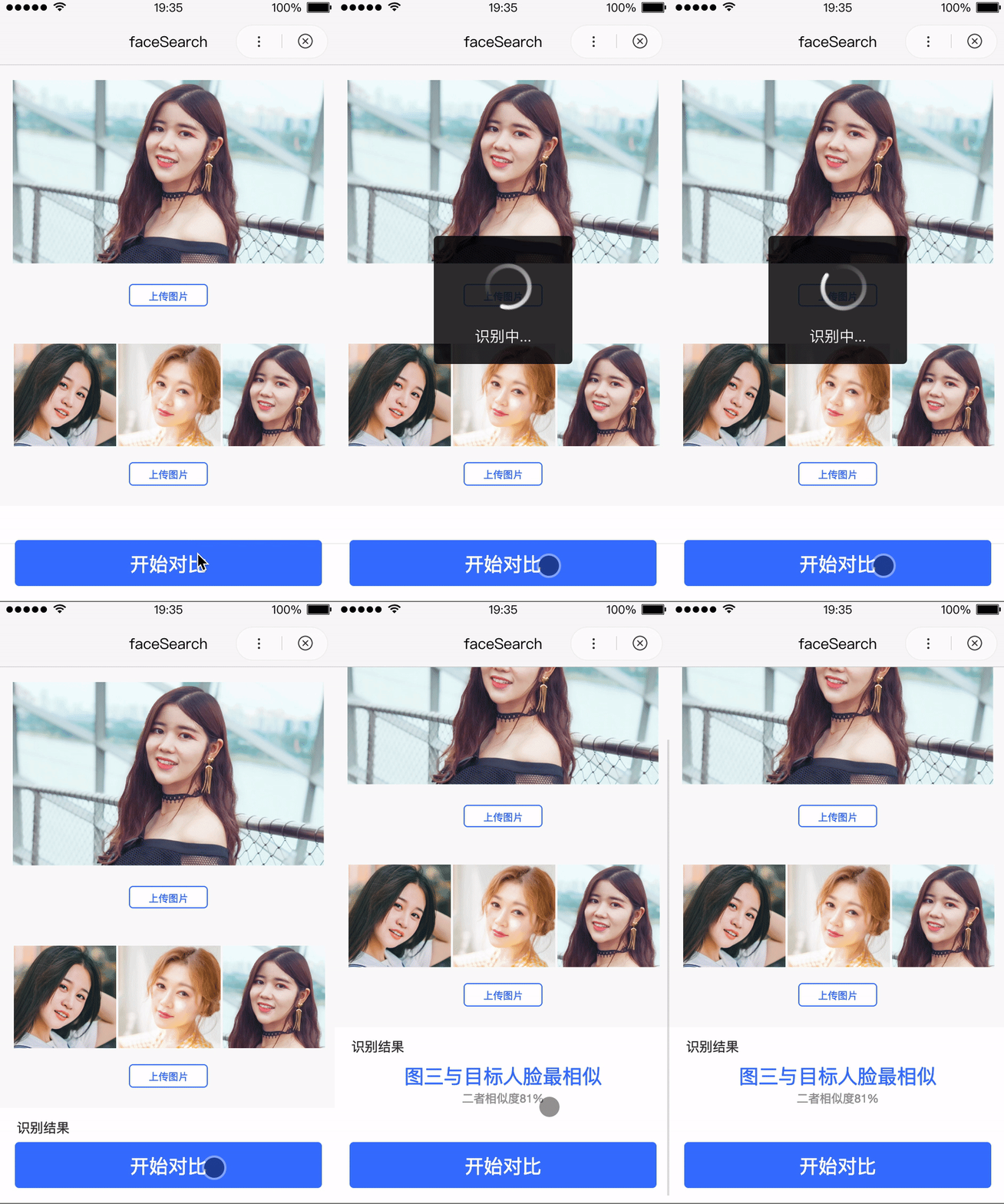
代码示例
- JS
Page({faceSearch() {swan.chooseImage({success: res => {let imageTop = res.tempFilePaths[0];// let imageLeft = res.tempFilePaths[1];// let imageMid = res.tempFilePaths[2];// let imageRight = res.tempFilePaths[3];// AI系列的api有宿主使用限制,只可在百度App中使用,建议使用时加一层判断防止代码报未知错误let host = swan.getSystemInfoSync().host;if (host === 'baiduboxapp') {swan.ai.faceSearch({image,image_type: 'BASE64',group_id_list: 'imageLeft,imageMid,imageRight',quality_control: 'NONE',liveness_control: 'NONE',face_type: 'LIVE',user_id: 'xxxxxx',max_user_num: 20,success: res => {console.log(res);},fail: err => {console.log(err);}});}else {swan.showToast({title: '此api目前仅可在百度App上使用',icon: 'none'});}}});}});
返回值示例
- JSON
{"face_token": "fid","user_list": [{"group_id" : "test1","user_id": "u333333","user_info": "Test User","score": 99.3}]}