
后浪云百度小程序教程:swan.getStorage

- swan.getStorage
- 方法参数
- object 参数说明
- success 返回参数说明
- 示例
- 图片示例
- 代码示例
- Bug & Tip
- 错误码
- Android
- iOS
- 方法参数
swan.getStorage
解释:从本地缓存中异步获取指定 key 对应的内容。
方法参数
Object object
object 参数说明
| 属性名 | 类型 | 必填 | 默认值 | 说明 |
|---|---|---|---|---|
key | String | 是 | 本地缓存中的指定的 key | |
success | Function | 否 | 接口调用成功的回调函数 | |
fail | Function | 否 | 接口调用失败的回调函数 | |
complete | Function | 否 | 接口调用结束的回调函数(调用成功、失败都会执行) |
success 返回参数说明
| 参数 | 类型 | 说明 |
|---|---|---|
data | Object/String/Number/Array | key 对应的内容 |
示例
跳转编辑工具
在开发者工具中打开
在 WEB IDE 中打开
扫码体验
代码示例

请使用百度APP扫码
图片示例
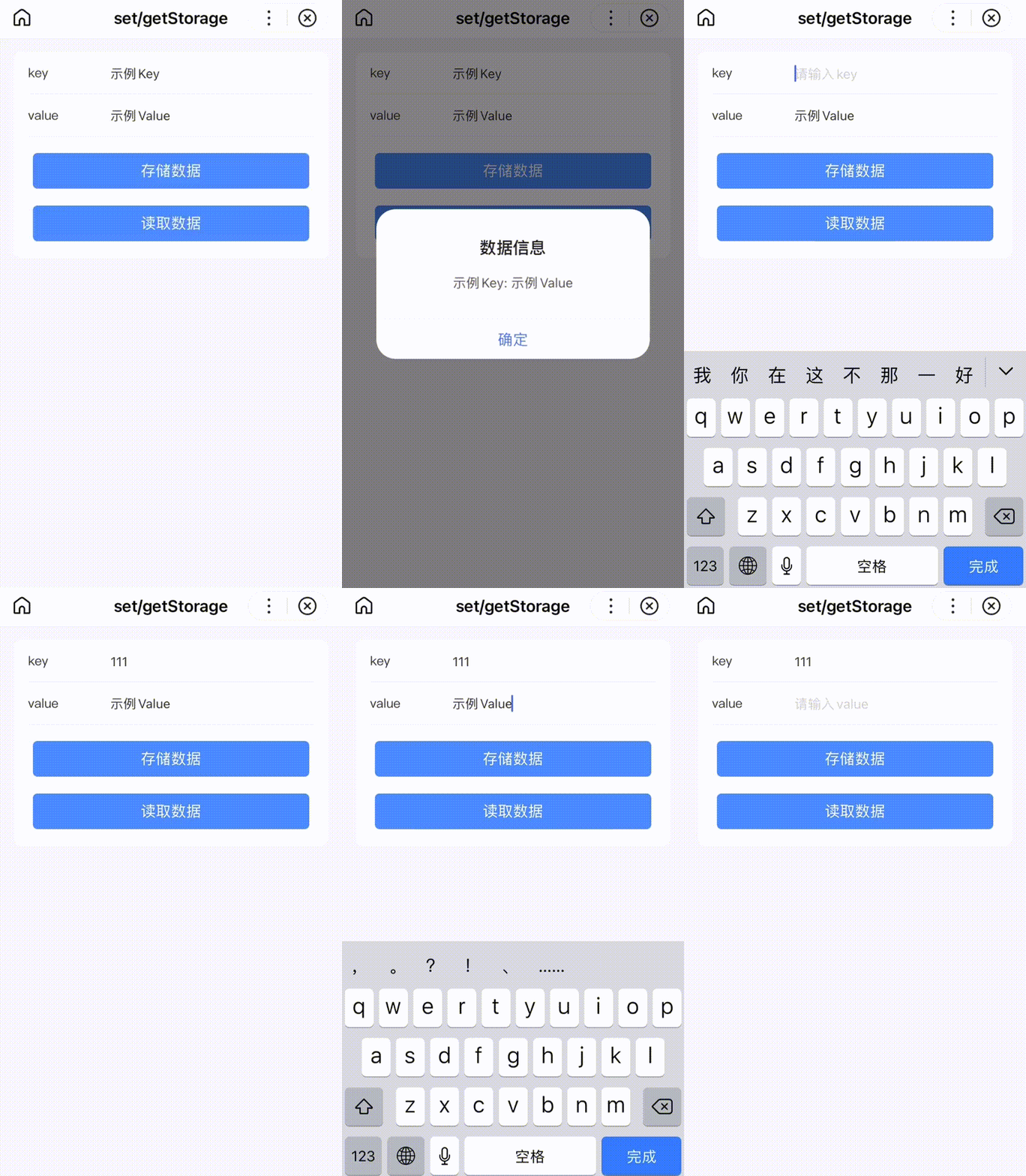
代码示例
建议先使用 setStorage, 再使用 getStorage 。
- SWAN
- JS
<view class="wrap"><view class="card-area"><view class="list-area border-bottom"><label class="list-item-key-4">key</label><input class="list-item-value" bindfocus="keyFocus" bindinput="keyInput" type="text" value="{{key}}" placeholder="请输入key" /></view><view class="list-area border-bottom"><label class="list-item-key-4">value</label><input class="list-item-value" bindfocus="valueFocus" bindinput="valueInput" type="text" value="{{value}}" placeholder="请输入value" /></view><view><button bindtap="setStorage" type="primary" hover-stop-propagation="true">存储数据</button><button bindtap="getStorage" type="primary" hover-stop-propagation="true" disabled="{{disabled}}">读取数据</button></view></view></view>
Bug & Tip
- Tip:目前通过 swan.getStorage 获取一个未设置的 key 对应值时, 会回调 success 函数并返回空字符串, 该问题会在后续版本修复,请关注公告及文档说明。
错误码
Android
| 错误码 | 说明 |
|---|---|
201 | 解析失败,请检查调起协议是否合法 |
1001 | 执行失败 |
iOS
| 错误码 | 说明 |
|---|---|
202 | 解析失败,请检查参数是否正确 |
版权声明:
作者:后浪云
链接:https://idc.net/help/186656/
文章版权归作者所有,未经允许请勿转载。
THE END